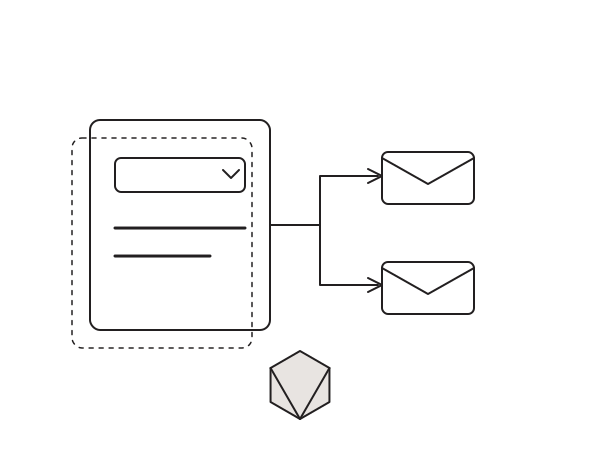
Elementor Pro forms are great until you need one form to email different people depending on what the visitor picks. A contact form with a "Department" dropdown should send sales enquiries to the sales inbox and support tickets to the support inbox. Out of the box, Elementor has no conditional recipient option: every submission goes to the single address you type into the Email action. Here is the snippet I use to route Elementor form notifications to different email addresses based on a select field choice.
Why Elementor has no conditional recipient
The Email action in an Elementor form takes a static "To" value. You can insert form fields into the subject or the message body, but the recipient itself is fixed at build time. There is no native "if Department is Sales, send to sales@" logic anywhere in the widget. So when a client asks for one form that fans out to several teams, you either build a separate form per team (messy, and a nightmare to maintain) or you hook into the form record just before it sends. I go with the hook every time.
The fix: hook the form record before it sends
Elementor Pro fires elementor_pro/forms/record/actions_before right before the notification actions run. At that point I can read the submitted value of a chosen field, match it against a list of value-to-email pairs, and overwrite the recipient. Here is the core routing filter:
add_filter('elementor_pro/forms/record/actions_before', function($record) {
    // Read the field ID you set in the Conditional Recipient section
    $form_field_id = $record->get_form_settings('namespace_conditional_recipient_form_field_id');

    if ($form_field_id) {
        $form_field = $record->get_field(['id' => $form_field_id])[$form_field_id] ?? null;

        if ($form_field) {
            $form_field_value = $form_field['value'];
            $email_settings = $record->get_form_settings('namespace_conditional_recipient_emails');

            foreach ($email_settings as $setting) {
                if ($form_field_value === $setting['form_field_value'] && $setting['email_address']) {
                    $settings = $record->get('form_settings');

                    // Overwrite the To recipient(s), comma separated
                    $to_emails = array_map('sanitize_email', array_map('trim', explode(',', $setting['email_address'])));
                    $to_emails = array_filter($to_emails, 'is_email');

                    if (!empty($to_emails)) {
                        $settings['email_to'] = implode(',', $to_emails);
                    }

                    $record->set('form_settings', $settings);
                    break;
                }
            }
        }
    }

    return $record;
});
The full version does a bit more: it registers a "Conditional Recipient" control section inside the form widget (so you set the field ID and the value-to-email rules visually), and it adds a matching CC filter through elementor_pro/forms/wp_mail_args. That part pushes the file well past sixty lines, so grab the complete code from the repo rather than retyping it.
How to install it
I ship this as a small plugin, but you can just as easily run it as a snippet. I never touch functions.php for this: it gets wiped on theme updates and one stray syntax error takes the whole site down. The Code Snippets plugin survives theme updates and lets you toggle the code off safely if anything looks wrong.
- Install and activate the Code Snippets plugin.
- Go to Snippets > Add New.
- Paste the full snippet from the GitHub repo.
- Set it to run everywhere and activate.
- Edit your form, open the new Conditional Recipient section, enter the Form Field ID of your select field, then add one rule per value (for example "Sales" maps to [email protected]).
One gotcha: match the exact value the field submits. For a select field that is the option value, not the label, so watch out for trailing spaces or different casing. If no rule matches, the form falls back to the default recipient in the standard Email action, so nothing breaks.
Still works in 2026
These form record hooks have been stable across Elementor Pro releases for years, and they still fire the same way in 2026 on the current version. Because the routing lives in a snippet rather than the widget, it keeps working even when you restyle or rebuild the form.
The snippet lives on GitHub: djaysan/conditional-recipient-for-elementor. Star it or fork it if it saves you a build.
Need a hand wiring up smarter Elementor forms? Get in touch.